Build and run workflows
Turn a process into reviewed steps, conditions, approvals and durable runs; test failures before enabling schedules.
Turn a process into explicit steps
A workflow coordinates agent tasks, conditions, waiting, notifications and human review. Start with a process map and a system-of-record owner. Decide what happens when inputs are missing, a provider fails or a person rejects the proposed action.
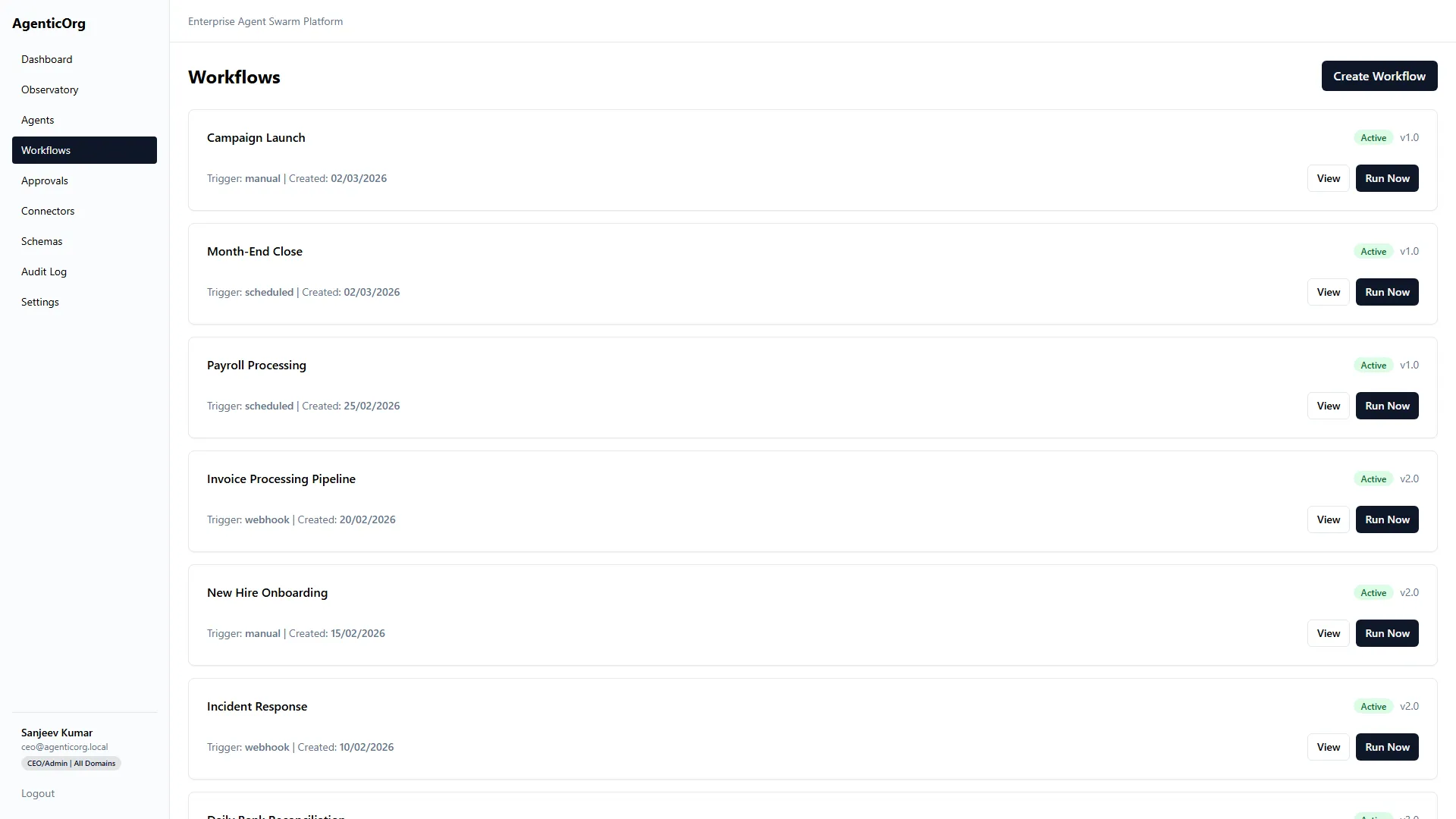
The screenshot illustrates the existing workflow view. Your available definitions and execution state depend on workspace configuration.
Create a definition
Open Workflows > Create Workflow. You can describe the business process to generate a draft, or enter a reviewed definition manually. The screen includes name, version, domain, trigger type, optional cron schedule and JSON steps. Generated output is not an approved operational process.
The available step options include agent, condition, human-in-loop, parallel, wait, wait-for-event, notify, transform and collaboration. Review each option against the runtime implementation and selected integration. Do not infer that selecting a step type provisions its external system.
- Give the workflow a task-specific name and version.
- Choose the domain and start with a manual trigger.
- Select authorized agents and define structured inputs.
- Add a condition for missing/invalid evidence.
- Add human review before a consequential action.
- Define success and failure routing, bounded retries and a time limit.
- Validate JSON in the editor and inspect the visual builder.
- Save and run with synthetic inputs before scheduling.
Worked process: complaint response preparation
- 1Intake
Accept the complaint reference in the authorized company.
- 2Triage
Classify the request and retrieve the current procedure.
- 3Evidence check
Route missing or conflicting information to a reviewer.
- 4Human review
Approve a response draft, not an unverified account action.
- 5Handoff
Send only through an explicitly configured and authorized integration.
If no email or CRM action has been implemented and approved, stop at the prepared output. Do not rename it "sent". Workflow notification and business action permissions are independent.
Run and inspect history
Open the definition/detail page, supply the expected payload and start a run. Inspect the workflow run screen for each step's status, output, errors and waiting conditions. A waiting approval is not a hung workflow. A failed provider step should not be presented as successful completion.
Test condition branches and review rejection as deliberately as the happy path. Use a missing document, unavailable connector, duplicate event and rejected approval. Check that no unauthorized next step runs after a refusal.
Schedules and recovery
Only schedule a workflow when the operator has confirmed worker/scheduler availability, timezone, frequency, permissions, retries and duplicate handling. A saved cron string is not proof that a background worker is deployed. Begin with a low-frequency schedule and inspect actual runs.
Before rerunning, inspect whether any external step already completed. Resume at the documented safe step rather than replaying a money-moving or communication action blindly. Pause schedules during provider outages, schema changes and credential rotation where needed.
Next: Approvals, Audit and monitoring, Evaluation.
View this page on AgenticOrg